
How to Build a Quiz Funnel That Turns Attention Into Clients
I built two simple quiz funnels for my business.
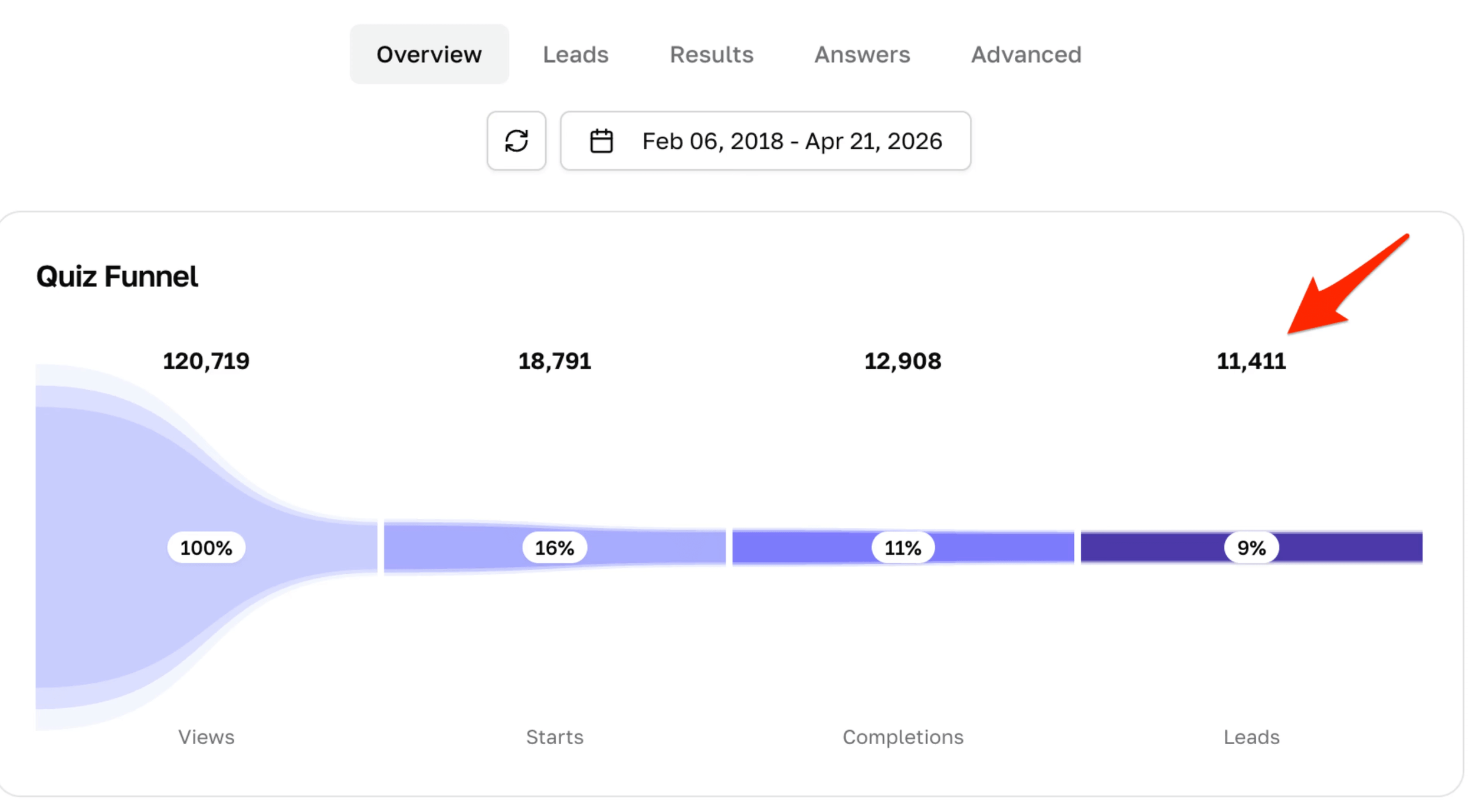
One has generated 11,411 leads.
The other has generated 9,220 leads.
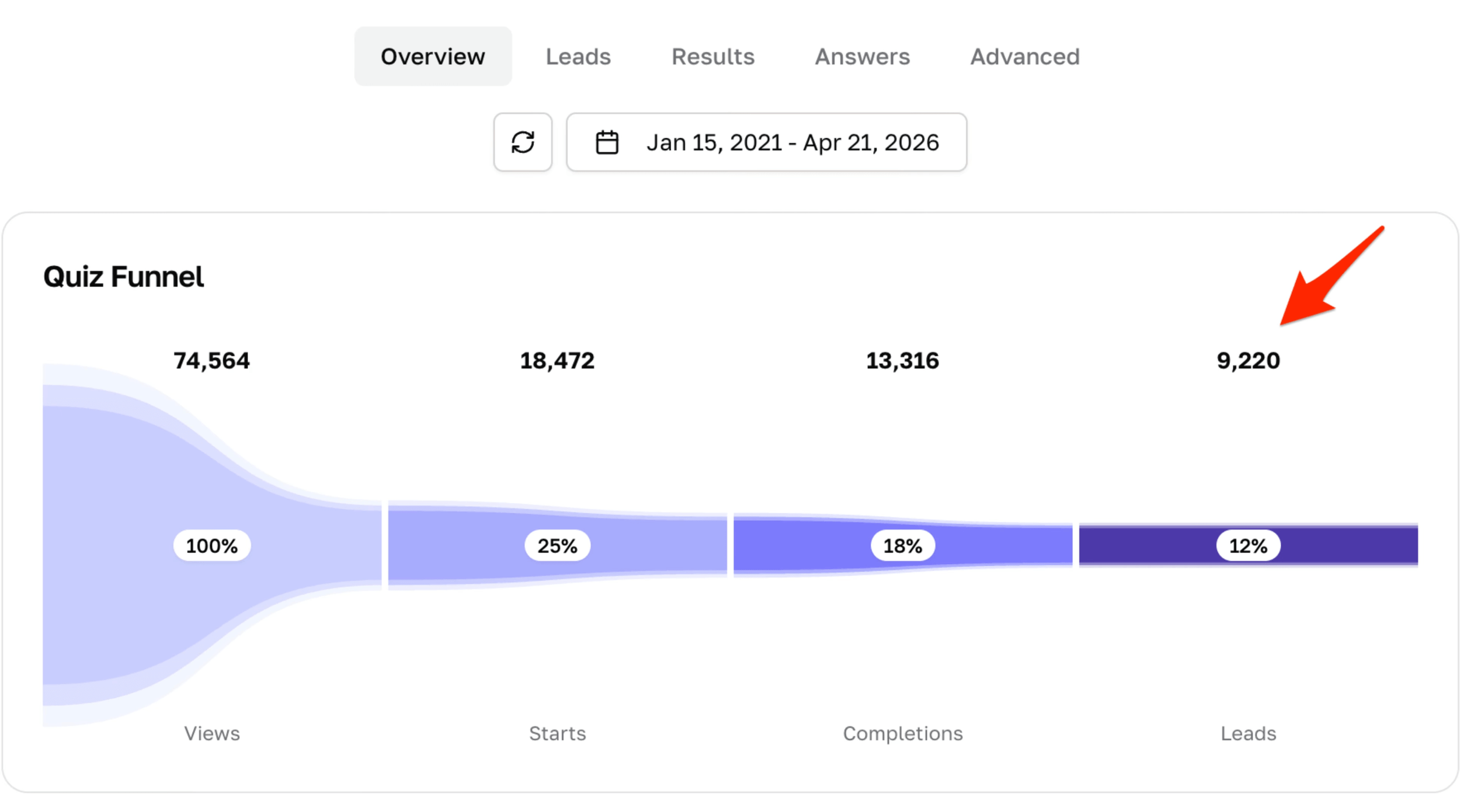
That’s 20,631 potential clients from two little quizzes.
After testing a bunch of different lead magnets over the years — PDFs, free trainings, newsletters, and more — quizzes have consistently been one of the best ways I’ve found to turn website visitors into email subscribers.
A good quiz is like the sorting hat. Except instead of telling children where to sleep at wizard school, it tells potential clients why they should hire you.
Lead Magnets Are Dead. Meet The Lead Generation Quiz.
What Is A Lead Generation Quiz?
A lead generation quiz is an interactive lead magnet that asks visitors a series of questions, collects their email address, and gives them a personalized result.
An effective lead generation quiz gives your potential client useful insight into the exact problem your business helps them solve.
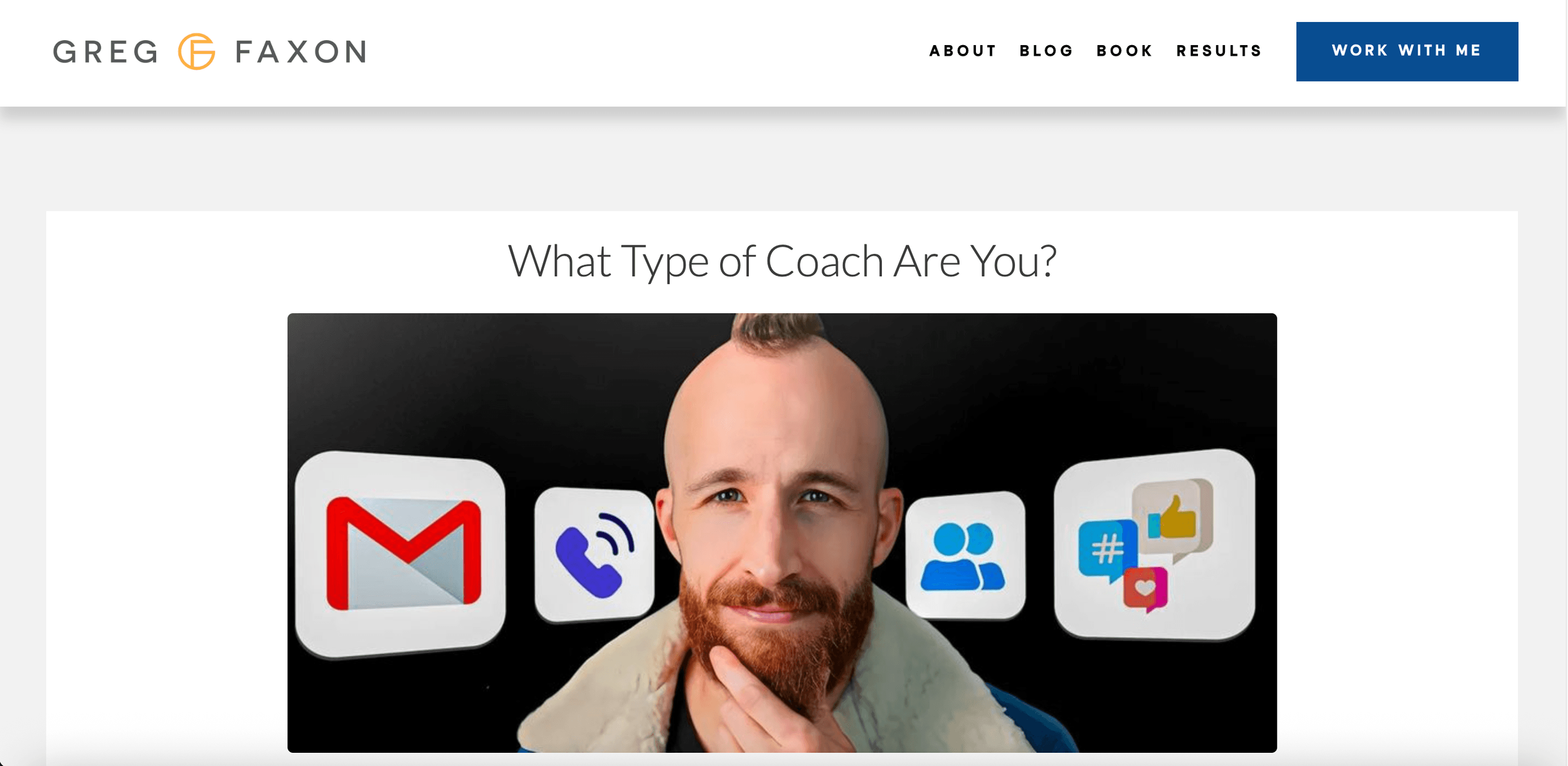
For example, my first quiz was called "What Type Of Coach Are You?" It helped coaches figure out which marketing strategies were most likely to work for them based on their personality and strengths.
Check it out:
My second quiz was called "What’s Your True Coaching Niche?"
I even created a lead generation quiz back when I did fitness coaching called "What's Your Fitness Archetype?"
Why Are Quizzes So Effective?
For a long time, I thought that the best way to collect emails was to create a simple, 1–2 page cheat sheet.
And I still think that can work if it it's plug-and-play. For example, one of my highest converting lead magnets is a Coaching Contract Template. It's just a free Google Doc that people can personalize and send to clients.
But in general, quizzes have outperformed every other lead magnet I've tested.
Here’s why:
1. Perceived effort
Most lead magnets feel like homework.
Read this 20 page ebook.
Watch this 60-minute training.
Do these 14 journaling prompts during the next full moon.
A quiz feels like a quick win.
Instead of asking someone to sit down and study, you’re asking them to answer a few questions.
2. Personalization
Your potential clients don’t want more information.
They want to know:
What should I focus on?
What’s my next step?
Which advice should I ignore?
A good quiz answers those questions.
It helps someone sort themselves into a category that makes the rest of your advice more relevant.
3. Conversion
Everyone knows that when they download a PDF, it’s just going to join the graveyard of other lead magnets on their desktop.
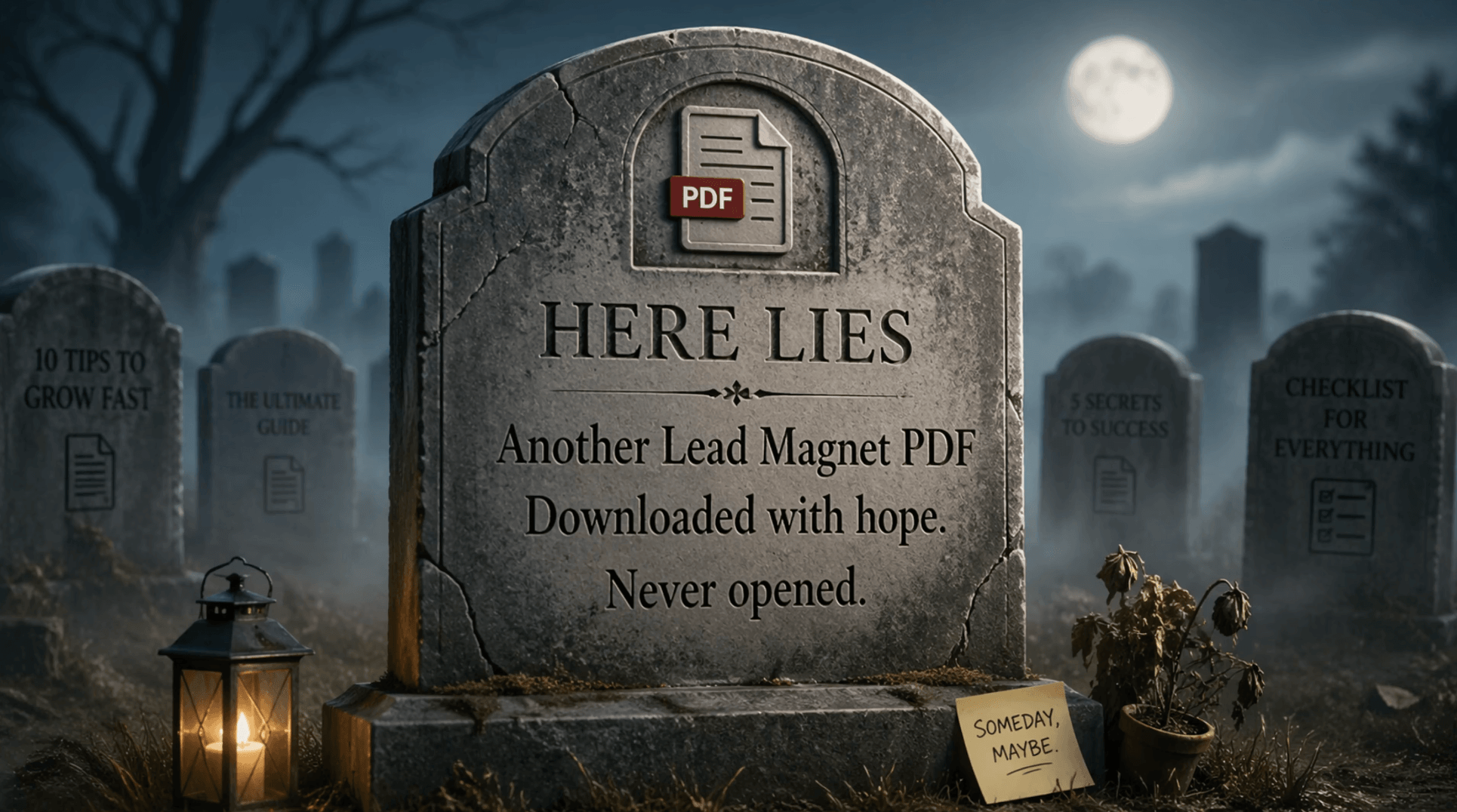
A quiz generates momentum.
Once someone starts answering questions, they want to know the result. And once they get the result, they want to hire you to help them with it.
What Is A Quiz Funnel?
A quiz is not just a way to generate leads.
It’s a mini funnel.
Here’s how it works:
Someone lands on your quiz page.
They answer a handful of questions.
They enter their email address to see their result.
They get a personalized result page with useful recommendations.
You invite them to take the next step (e.g. book a call)
Your email newsletter or follow-up sequence continues the relationship.
Quizzes work especially well for coaches, consultants, and service providers. Because you already have expertise to share with people. You just need to package it the right way.
Let me show you how.
Step 1: Create The Quiz
The easiest way to create a lead generation quiz is to use quiz-building software.
I use Interact* to build my quizzes because it’s quick, simple, and built specifically for this purpose.
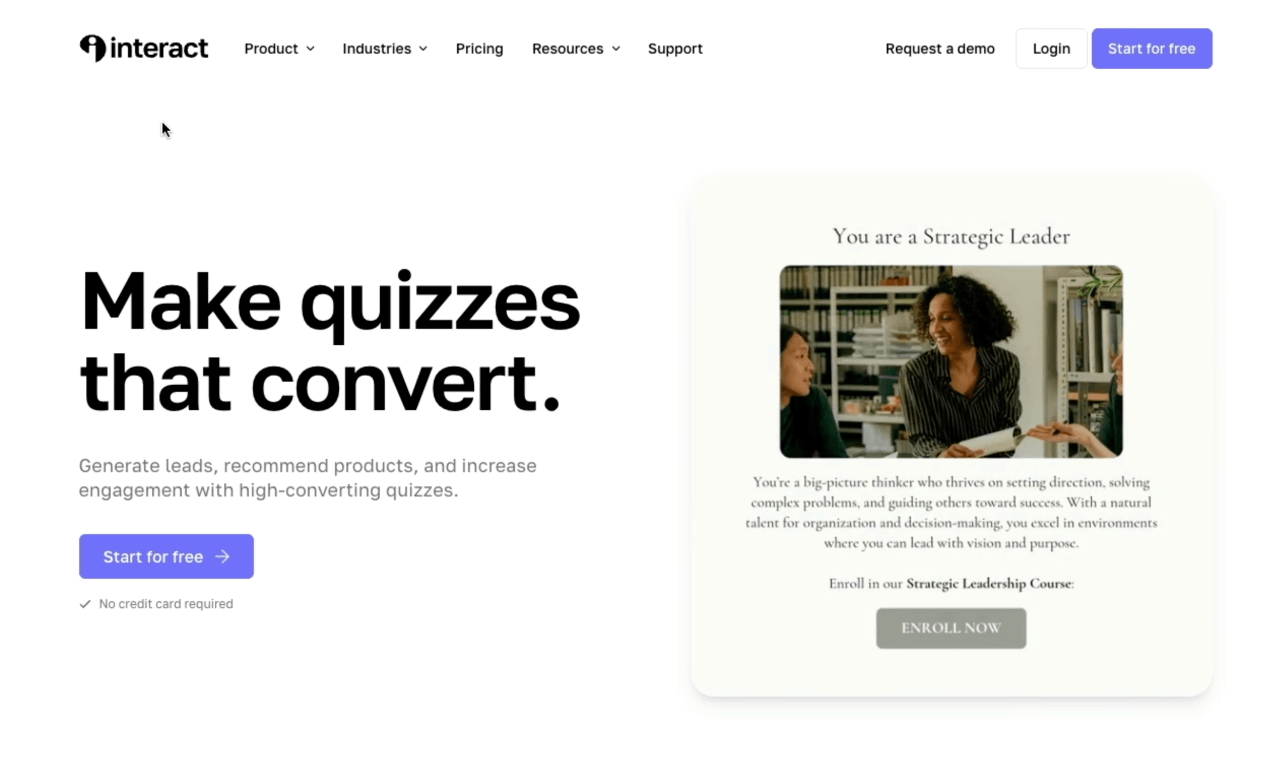
You can also use Typeform or another form builder, but those usually take a little more time to set up.
When you create a new quiz, you’ll have a few options:
Start from scratch
Create with AI
Clone a template
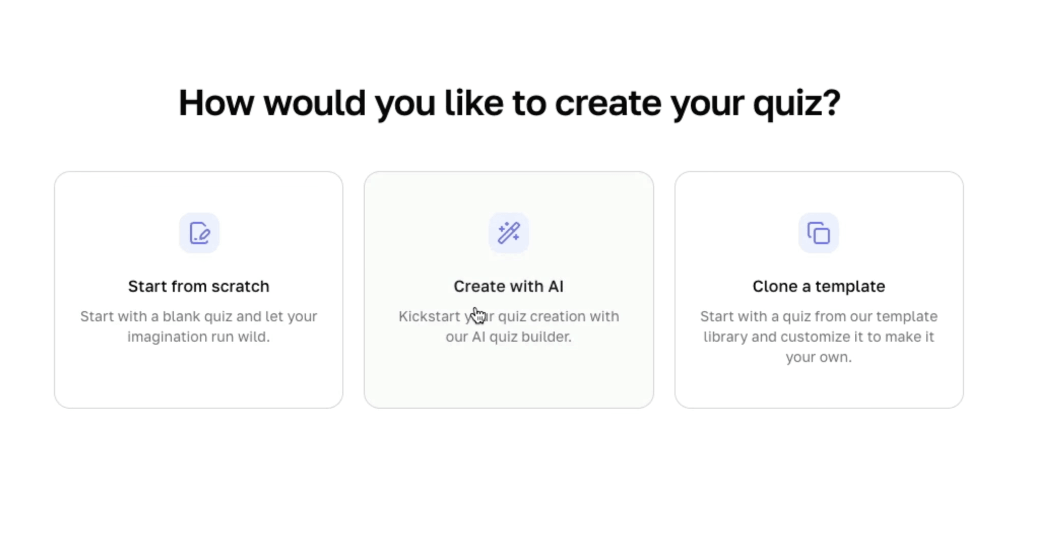
I’d start with AI builder. It’s not going to give you a perfect quiz, but it can give you a useful first draft in a few minutes.
What Kind Of Quiz Should You Create?
Most quiz builders will ask what type of quiz you want to create. With Interact, you can input your website and have it scan for ideas. You can also leave a note with the type of quiz you want or any other information.
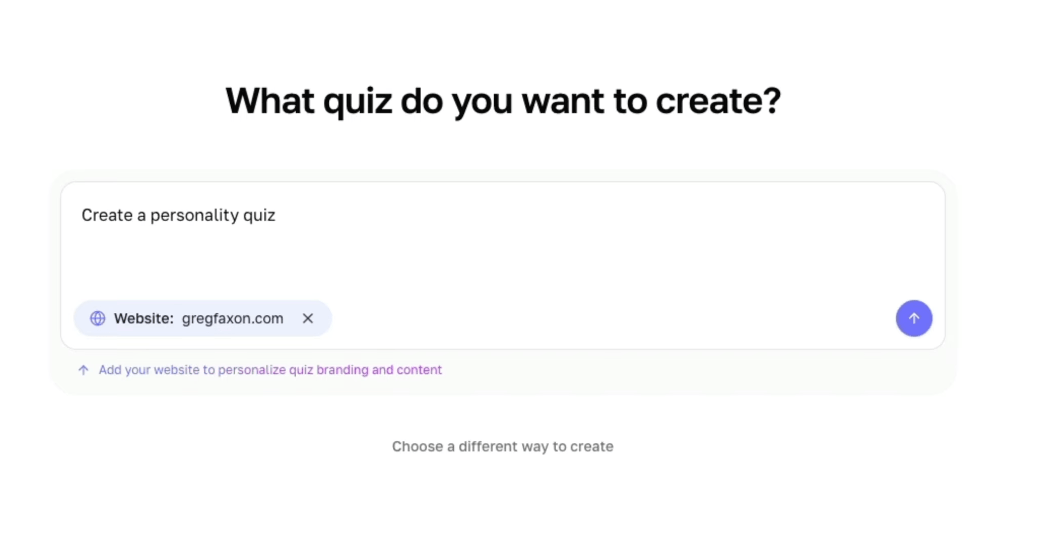
The common options are:
Personality quiz: Gives someone a type or archetype.
Assessment quiz: Diagnoses where they are or what they need.
Scored quiz: Gives someone a score at the end.
I like personality quizzes best.
People are naturally curious about what “type” they are. That curiosity gets them to start the quiz, finish the quiz, and care about their result.
But the quiz still needs to connect to what you sell.
This is where a lot of people mess up. They create a quiz that’s fun, but unrelated to their offer.
For example: if you’re a leadership coach, don’t create a quiz called “What’s Your Spirit Animal?”
Choose Your Topic
Your topic is the most important strategic decision.
Your quiz should relate directly to:
Your audience
The problem they want solved
The offer you eventually want them to buy
If you use Interact’s AI builder, it will automatically generate a few ideas.
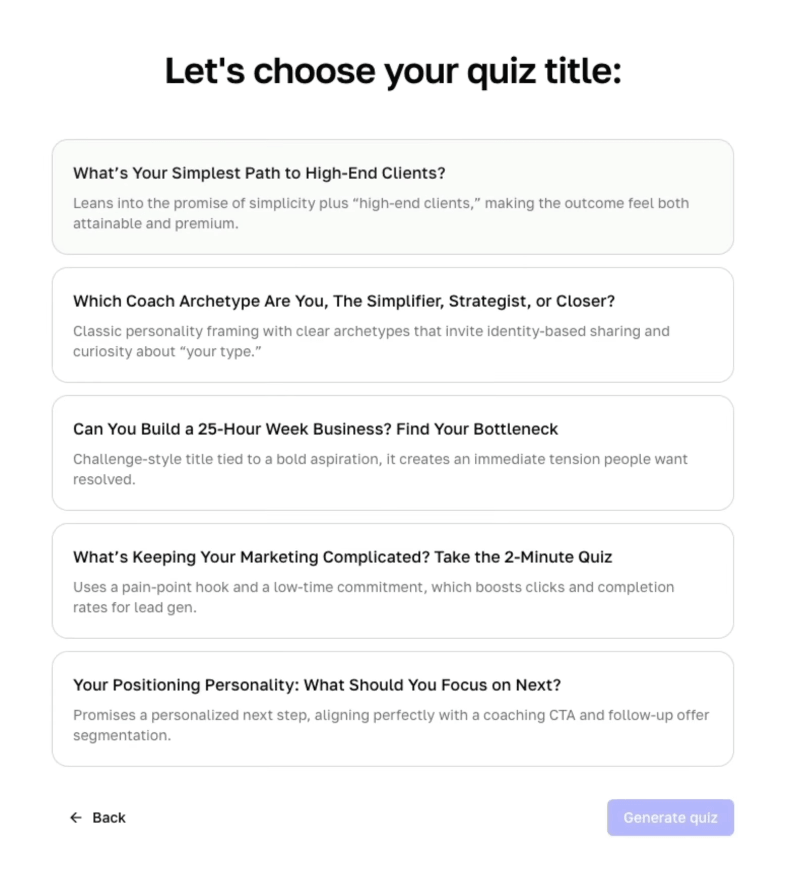
For example, because I help coaches and service providers get more high-end clients with simple marketing, a good quiz topic for my business would be: “What’s Your Simplest Path To High-End Clients?”
That works because it connects directly to the promise of my offer.
My first quiz — “What Type Of Coach Are You?” — worked for the same reason. It helped coaches understand which marketing strategy fit them best.
Step 2: Revise The Quiz
Once the software gives you a draft, don’t publish it immediately.
You want to revise three main pieces:
The cover
The questions
The results
Revise The Cover
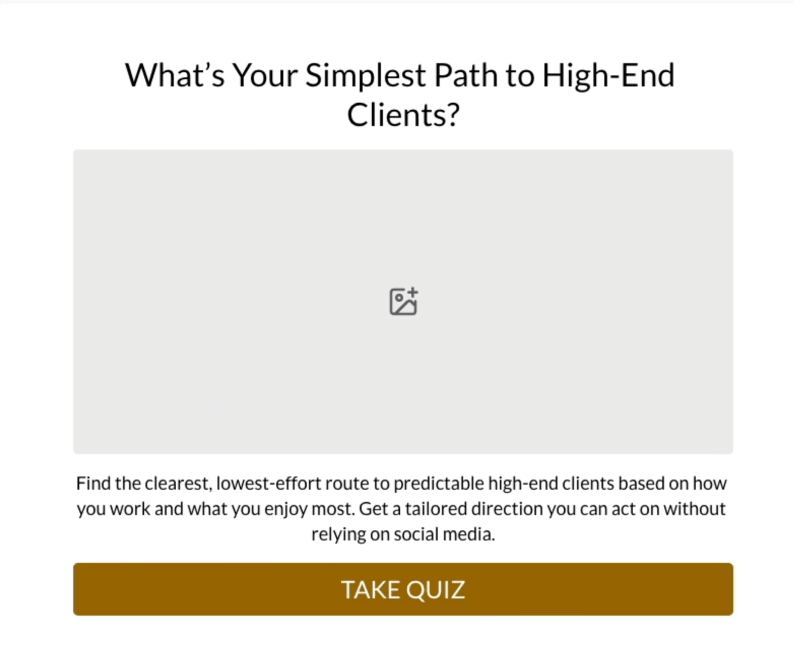
Your quiz cover is the landing page.
It needs to make people want to start.
Update:
The image
The headline
The description
You can also adjust the colors, fonts, and design so the quiz matches your brand.
Be sure to use a photo that catches attention and fits the concept of the quiz. Like this:
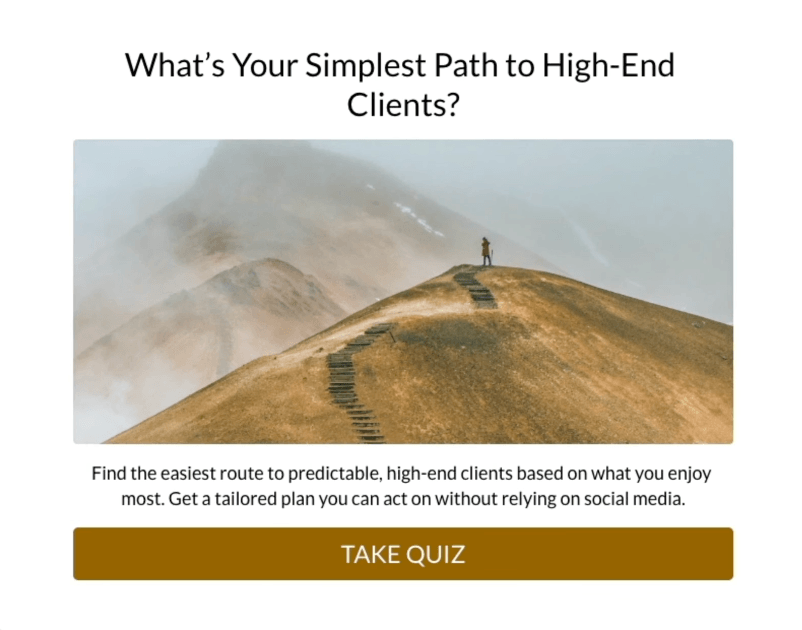
The headline and description should build curiosity.
A weak headline says:
“Marketing Quiz”
A stronger headline says:
“What’s Your Simplest Path To High-End Clients?”
Then the description should clarify the promise:
“Find the easiest route to predictable high-end clients based on what you enjoy most. Get a tailored plan you can act on without relying on social media.”
That’s what your cover needs to do:
Make the quiz feel relevant
Make the result feel desirable
Make starting feel easy
You can also add the estimated time to your description (if the quiz is short).
Revise The Questions
Next, review the questions.
According to Interact's research, top quizzes usually include 6–13 questions.
That’s enough to make the result feel accurate without making the quiz feel like homework.
As you revise, look for:
Questions that feel redundant
Answers that are too obvious
Questions that don’t help determine a result
Anything that feels confusing or unclear
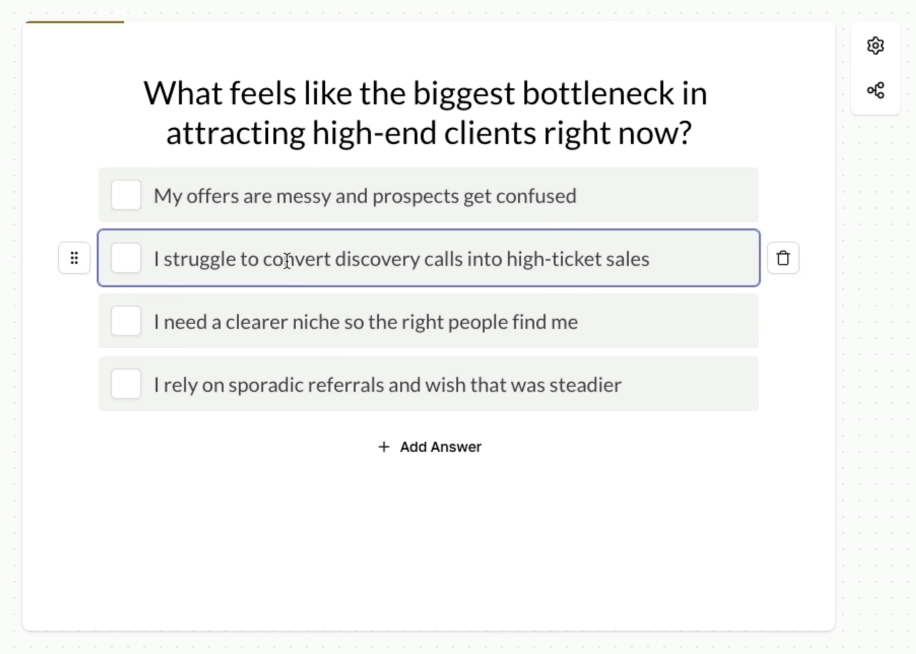
Most quiz tools let you see how each answer correlates with a result.
For example, if someone says “my offer is messy,” that answer might point toward a result focused on simplifying their offer.
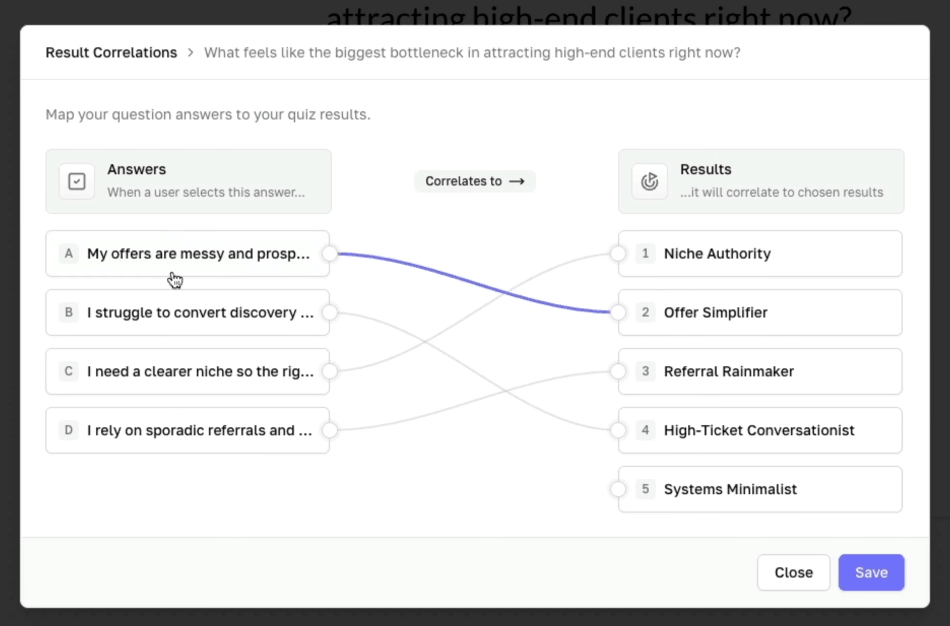
The logic matters. If their result feels random, the quiz breaks trust.
You can also use branching logic, where the next question changes based on the person’s previous answer. That can be powerful, but it’s more advanced.
For your first quiz, I’d keep it simple and just go with basic correlations.
Revise The Results
The result page is where the quiz turns from a gimmick into a business asset.
Top quizzes typically have 4–8 unique results.
That’s enough variety to feel personalized without making the quiz impossible to write.
For each result, add:
A strong result title
A photo or video (I think video is ideal if you’re willing to shoot one)
A useful description with specific recommendations
A transition into your offer
A CTA button
The default AI-generated description will probably be too thin.
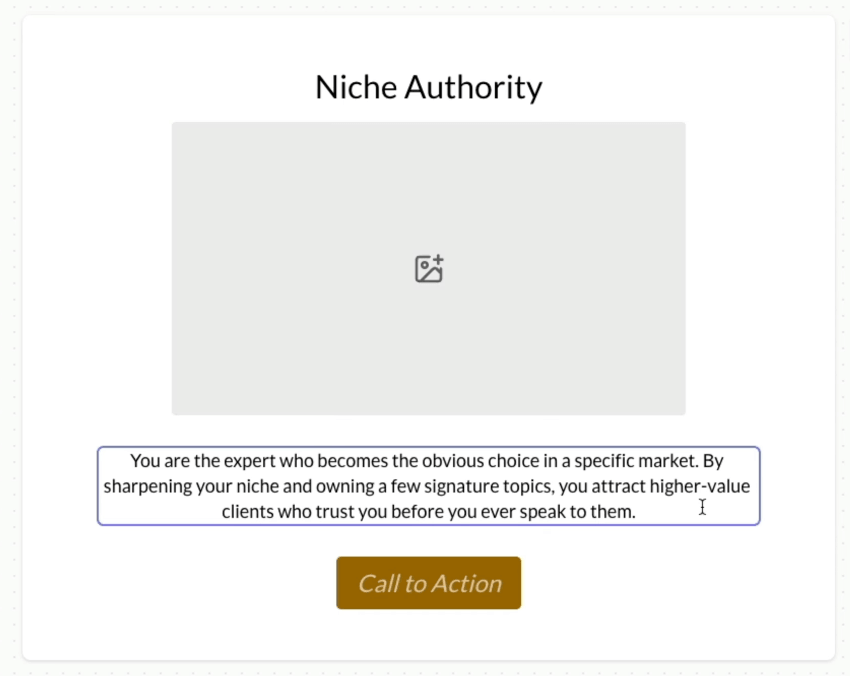
This is where you need to add your expertise.
For each result, explain:
What this result means
Their strengths/weaknesses
What they should focus on next
Mistakes to avoid
Then add what I call an "if/then" transition into your offer.
For example:
“If you want my help turning this into a simple client-getting plan, then apply for a strategy session.”
Finally, add a CTA button. For example:
“Apply Now”
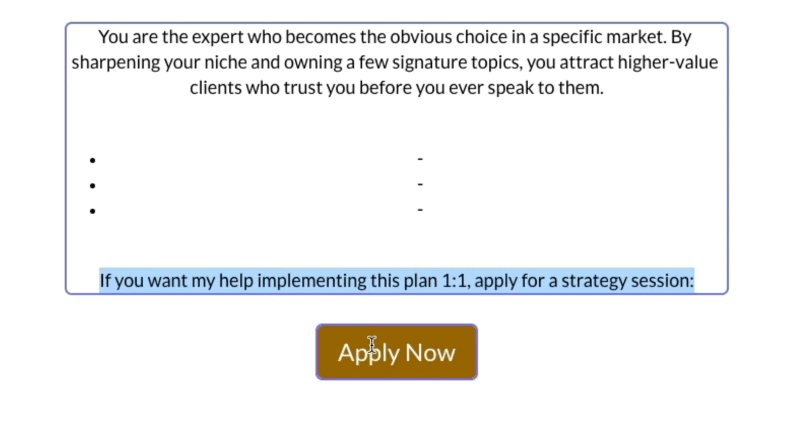
This is what turns the quiz into a funnel.
Step 3: Set Up Lead Generation
Once the quiz is ready, turn on lead generation.
This is where someone enters their email address to get their result.
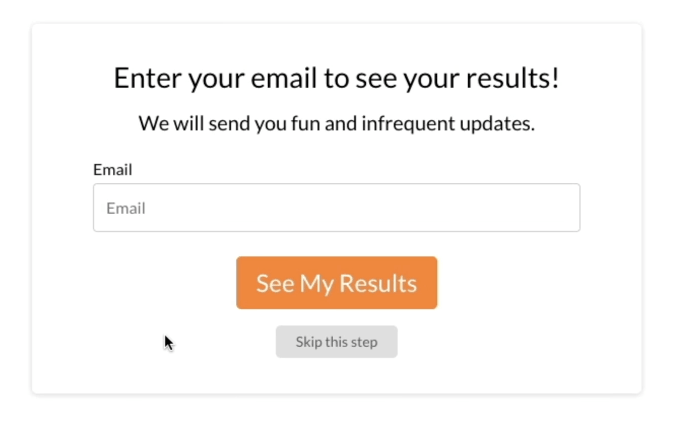
Most quiz tools let you customize the opt-in form.
Keep it simple. In most cases, all you need is:
First name (only if you use this to personalize your email marketing)
Email address
You’ll also need to decide whether people can skip the opt-in.
There are two options:
Option 1: Require The Email Address
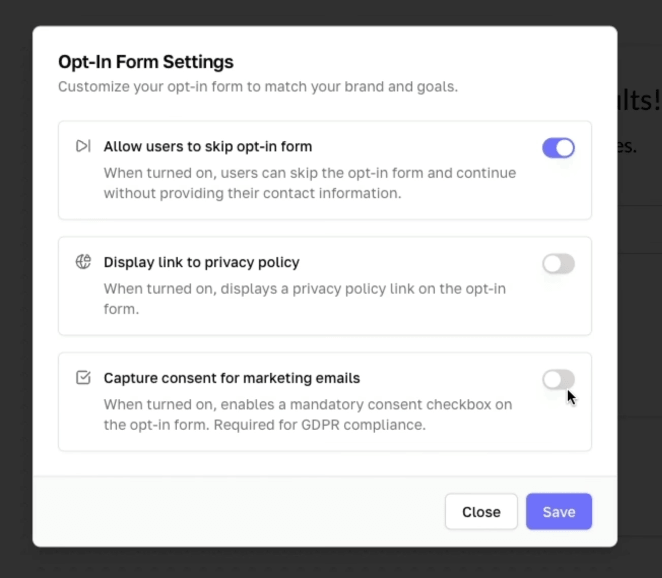
This will usually get you more leads.
Someone answers the questions, then they have to enter their email to see the result.
This is best if your main goal is list growth.
Option 2: Let People Skip The Opt-In
This will usually get you fewer leads.
But the people who do opt in may be more engaged.
I’ve tested both, and I currently allow people to skip the opt-in on some quizzes because I’d rather have a slightly smaller but more engaged list.
There isn’t one perfect answer. Choose based on whether you care more about volume or quality.
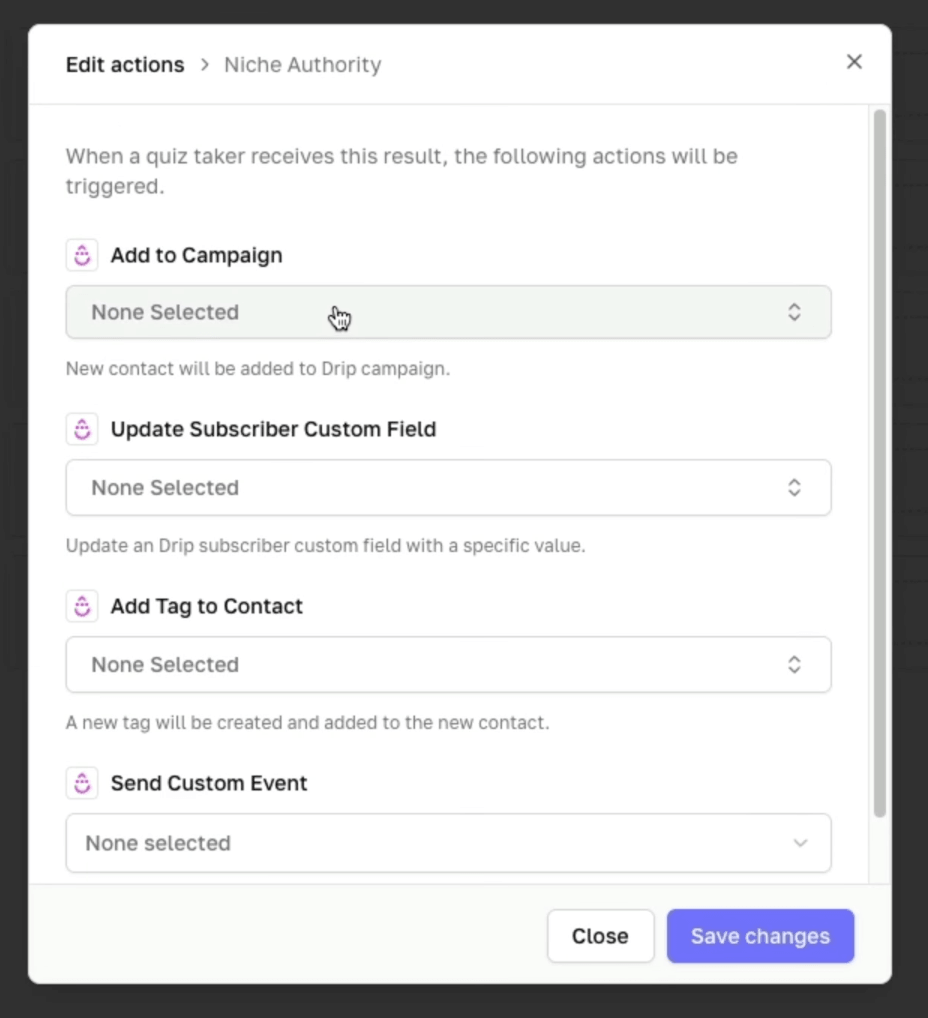
Then, connect the quiz to your email platform (I use Drip).
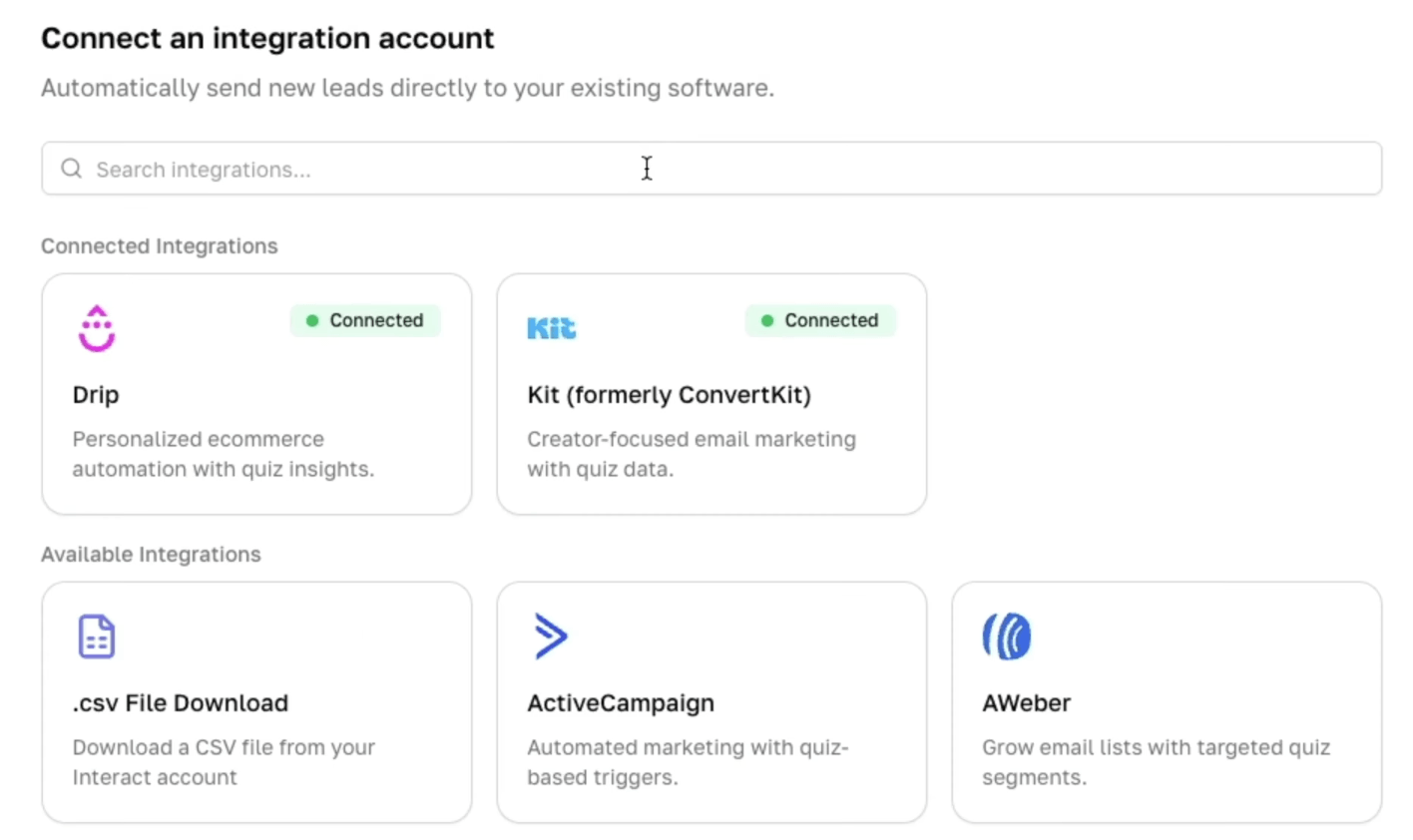
There are plenty more integration available beyond what you see here.
At a minimum, send new subscribers to your email list.
You can also get more advanced.
For example, you can:
Tag people based on their result
Send a personalized report by email
Create a result-specific follow-up sequence
Warm people up with helpful content
Invite them to book a call
This is where the quiz becomes more than a lead magnet.
It becomes the first step in a sales process.
Both of my quizzes trigger a multi-day email sequence that shares more about their result. And I mention this when I ask them to opt-in. For example:
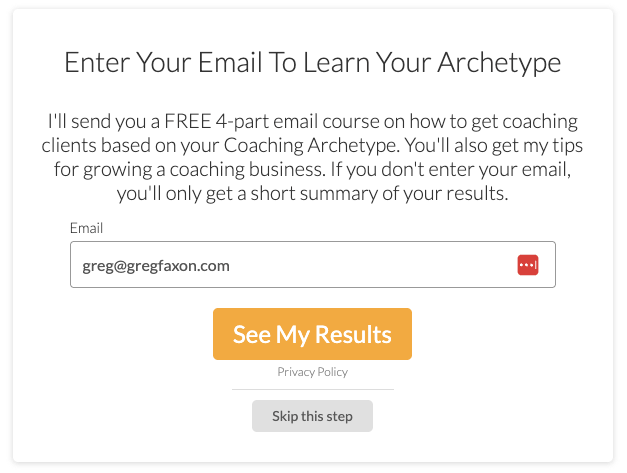
You don't have to worry about building a personalized email sequence yet, but it might be a good idea to tag people based on their result so you can follow up later.
Step 4: Publish And Share
Once your quiz is built, revised, and connected to your email platform, publish it.
Most quiz tools will give you a few ways to share it:
Direct link
Website embed
Popup
Announcement bar
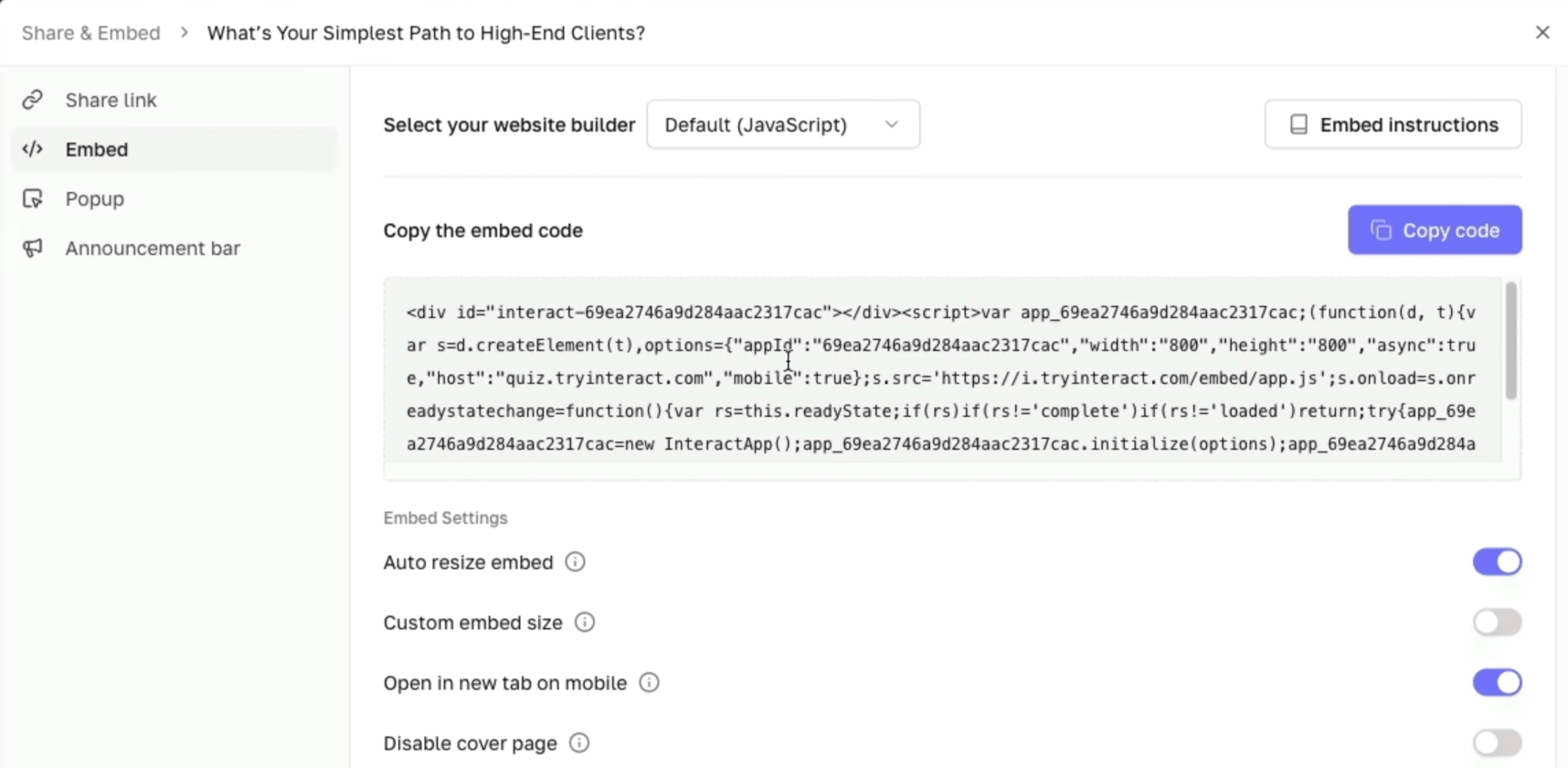
At a minimum, I recommend embedding the quiz on your website.
That way, you can send people to a short URL like gregfaxon.com/quiz.
Then share it anywhere you already get awareness.
For example:
Your website
Blog posts
YouTube descriptions
Podcast interviews
Email newsletters
Social media bios
Guest workshops
Paid ads
The core idea is this:
Wherever you already get attention, your quiz turns that attention into leads.
If people find you through SEO blog posts, send them to the quiz.
If people find you through social media, send them to the quiz.
If people find you through a podcast interview, send them to the quiz.
Once someone is on your email list, you can keep building trust until they're ready to hire you.
What’s A Good Conversion Rate For A Lead Generation Quiz?
Your conversion rate will depend on your traffic source, your quiz topic, your audience, your opt-in settings, and how compelling the quiz feels.
Interact has a whole guide with benchmarks.
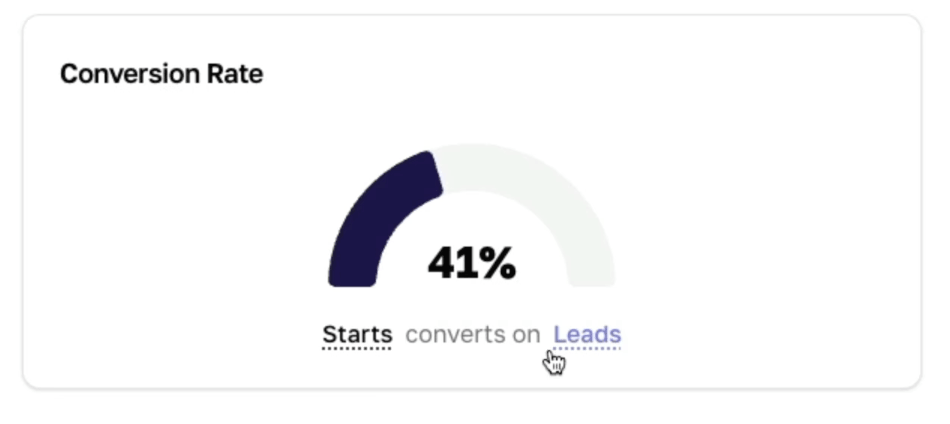
To keep it simple, I like to look at Starts to Leads
Starts to Leads tells you how many people who actually begin the quiz become subscribers.
For one of my quizzes, I’ve seen around 41% of quiz starters become leads.
For another, I’ve seen around 50% of quiz starters become leads.
So as a general benchmark, I’d be happy with around 40%+ of quiz starters becoming email subscribers.
That doesn’t mean every quiz will hit that number.
But if your quiz is converting far below that, I’d look at:
Is the quiz relevant to the audience?
Are the questions easy to answer?
Does the result feel worth opting in for?
Is the traffic source aligned with the quiz topic?
Sometimes the issue isn’t the quiz.
It’s that the wrong people are seeing it.
Common Mistakes To Avoid
There are a few mistakes I’d avoid when creating your first lead generation quiz.
Mistake #1: Making The Quiz Too Generic
A quiz called “What Type Of Goal Setter Are You?” is way too general.
High-paying clients invest in specific solutions.
Your quiz should connect to the specific problem your business solves.
Mistake #2: Creating Too Many Results
You don’t need 19 different quiz results.
That makes the quiz harder to write, harder to explain, and harder to use in your marketing.
I’d aim for 3–6 results for most coaching or consulting quizzes.
Mistake #3: Asking Too Many Questions
A quiz should feel quick.
If people feel like they’re applying for a mortgage, they’ll bail.
Aim for 6–13 questions. If you can get them an accurate result in less than 6 questions, do it. The less friction there is, the more leads you’ll get.
Mistake #4: Making The Result Page Too Thin
The result page is not just a place to say, “Congrats, you’re Type B.”
It should give useful insight, personalized recommendations, and a clear next step.
Mistake #5: Forgetting The CTA
A quiz can grow your list.
But the list is not the finish line.
The point is to help the right people take the next step.
So make sure each result page includes a call to action that connects to your offer.
That could be:
Apply for a strategy session
Book a consult
Watch a related video
Read a related article
Buy a low-ticket product
Join a workshop
The best CTA depends on your business model. What is the thing that gets them one step closer to hiring you?
Whatever you decide,don’t just drop people on a result page and hope they magically figure out what to do next.
Hope is not a marketing strategy.
Frequently Asked Questions
What is a lead generation quiz?
A lead generation quiz is an interactive quiz designed to collect email addresses. Visitors answer a series of questions, enter their email address, and receive a personalized result. The quiz acts as a lead magnet while also helping you segment your audience.
Do quizzes still work as lead magnets?
Yes, quizzes can still work extremely well when they are specific, useful, and connected to your paid offer. They tend to work because they feel easier and more personalized than static lead magnets like PDFs or free guides.
How many questions should a lead generation quiz have?
Aim for 6–10 questions. You want enough questions for the result to feel accurate, but not so many that people abandon the quiz. I wouldn’t go beyond 13 questions unless you have a very good reason.
Should I require an email address before showing quiz results?
If your goal is list growth, yes. Requiring an email address before showing the result will usually generate more leads. However, allowing people to skip the opt-in can create a better user experience and may lead to a more engaged list. The best option is to test both.
What is the difference between a quiz funnel and a lead magnet?
A lead magnet is usually a free resource offered in exchange for an email address. A quiz funnel includes the quiz, the opt-in form, the personalized result page, the call to action, and the follow-up emails that move someone toward becoming a client.
What software should I use to create a quiz?
I use Interact* because it’s designed specifically for lead generation quizzes and makes it easy to create personality-style quizzes, map answers to results, collect email addresses, and embed the quiz on your site. But you can also use tools like Typeform or other quiz builders.
What should I put on the quiz result page?
Your quiz result page should include the result name, a short description, strengths, common mistakes, personalized recommendations, and a clear call to action. The result should feel useful on its own while naturally leading to the next step in your funnel.
Now It’s Your Turn
If you want to create your own lead generation quiz, don’t overcomplicate it.
Just sign up for a free trial of Interact*, block off 20 mins or so, and bang it out.
And keep in mind: a quiz is just one part of a larger funnel.
Getting someone’s email address is useful.
But if you don’t know how to get traffic to your quiz, or how to turn those leads into clients, the quiz doesn’t actually make you money.
So read this article next to see my full system for taking people from “I’ve never heard of you before” to long-term, high-paying clients:
The Simplest, Most Predictable Sales Funnel For Coaches
*This is an affiliate link. If you sign up after the free trail, you’ll get 50% off for 3 months and I’ll get a commission.
